
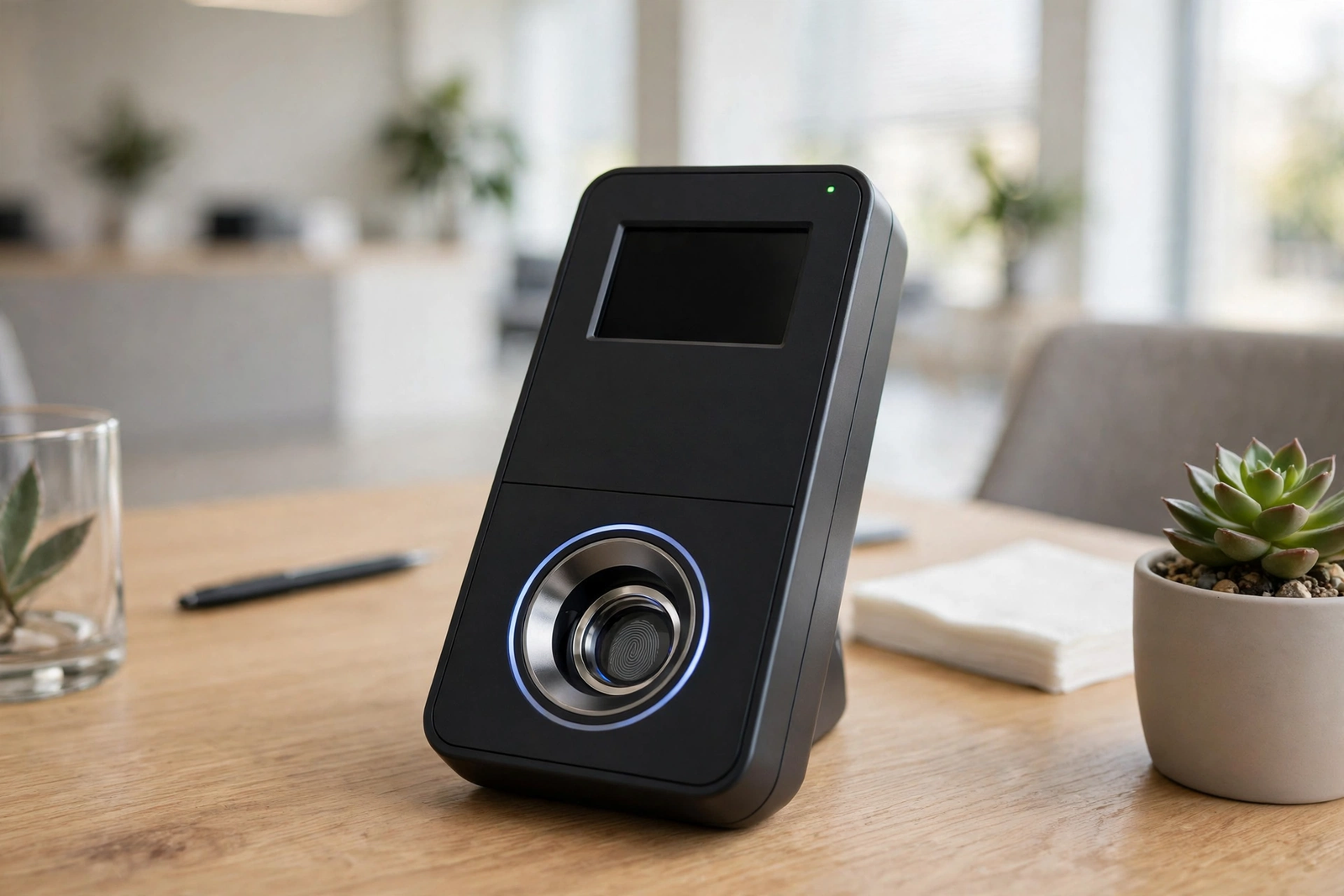
Every morning, in schools and offices around the world, the same small ritual plays out. A teacher calls out names from a register, or a student signs a paper passed from desk to desk. For a small group it works. But as the group grows, names get missed, handwriting becomes hard to read, sheets go missing, and one person can easily sign in for another.
Biometric attendance was built to fix this problem. Instead of a signature or a card, it identifies each person by a physical trait that belongs only to them, such as a fingerprint or the shape of their face. The result is a record that is faster to take, harder to fake, and far easier to turn into useful reports. This guide explains how it works, the main types, its strengths and limits, and how to choose the right system.
Why Manual and Paper Attendance Fails
Paper attendance survives because it is cheap and familiar. Yet its problems are so common that most teachers and managers can list them without thinking.
The first problem is speed. Calling out fifty names one by one eats into teaching time. In a large school, the first ten minutes of a lesson can disappear into the register.
The second problem is accuracy. Handwriting varies, spelling mistakes creep in, and a tired teacher can easily mark the wrong row. A tick in the wrong box can turn a present student into an absent one, and the error may only surface weeks later.
The third problem is honesty. A paper sheet cannot tell who actually signed it. A student can sign for a friend who stayed home, and a colleague can clock in for someone running late. This quietly undermines the whole point of keeping attendance.
The fourth problem is storage and reporting. Paper registers pile up in cupboards, get damaged, and are almost impossible to search. Working out a monthly attendance percentage means counting ticks by hand across dozens of pages. Anyone who has maintained an attendance register by hand knows the effort it takes. Paper also gives no real-time information: the office only learns about absences hours later.
How Biometric Attendance Solves the Problem
A biometric attendance system replaces the signature with a measurement of the body. When a person arrives, they place a finger on a scanner, look at a camera, or hold a palm over a sensor. The device compares that measurement with the record stored for that person and marks them present in a second or two. There is no paper to lose and no way for one person to sign in for another, because the trait cannot be lent or borrowed.
The change is most obvious in the morning rush: instead of a queue at a sign-in sheet, people walk past a device, touch it briefly, and move on. A class of forty can be marked present in a couple of minutes.
Accuracy improves because the record is created at the moment of arrival and stored digitally. Monthly reports that once took hours can be produced in minutes. For anyone tracking student attendance percentage and why it matters, this shift from hand-counted ticks to automatic records makes the numbers far more trustworthy. The office can also see, live, who has arrived and who has not.
Types of Biometric Attendance: A Comparison
Each method measures a different part of the body, with its own strengths and trade-offs.
| Method | How it works | Speed | Best for | Main drawback |
|---|---|---|---|---|
| Fingerprint | Scans the ridges of a fingertip | Under two seconds | Schools, offices, factories | Wet, dirty, or worn fingers can fail |
| Face recognition | Maps facial features with a camera | Fast, contactless | Offices, schools, hygiene-sensitive places | Poor light reduces accuracy |
| Iris recognition | Scans the coloured ring around the pupil | Very fast once aligned | High-security sites | Costly; user must stand close |
| Palm vein / palm print | Reads palm lines or veins under the skin | Fast, hygienic | Hospitals, large campuses | Larger devices; higher cost |
Fingerprint attendance is the most common type. Scanners are affordable, widely available, and familiar to most people. The main weakness is practical: hands that are wet, dusty, or worn from manual work can be hard to read.
Face recognition has grown quickly because it is completely contactless. A person simply looks at the device as they walk past, which suits hospitals and food-handling units. The trade-off is that lighting matters a great deal, and the system may struggle when a face is partly covered.
Iris recognition is the most accurate of the four, because the pattern of the iris is extremely detailed and stable over a lifetime. It suits high-security sites, but for ordinary school or office attendance it is usually more than is needed, and the higher cost makes it less convenient.
Palm-based systems read either the lines on the palm or the pattern of veins beneath the skin. Vein patterns are hidden inside the body, so they are very hard to copy, and the hand hovers above the sensor. The devices cost more than fingerprint scanners, so they appear mostly in large organisations.
For most schools and workplaces, the choice is between fingerprint and face recognition, and many devices combine both.
How a Biometric Attendance System Works Step by Step
The system does not store a photograph of a fingerprint or a face; it converts the measurement into a digital code, called a template. Here is how the cycle works.
Step 1: Enrolment. Before anyone can use the system, each person must be enrolled. An administrator registers the person’s name and ID number, then asks them to place a finger on the scanner or look at the camera a few times. The device captures the trait from several angles and builds a template, in under a minute.
Step 2: Daily check-in. Each morning, the person touches the scanner or faces the camera. The device captures a fresh measurement and turns it into a template. This takes a second or two, and most devices beep or flash green to confirm success.
Step 3: Matching. The device compares the fresh template with the templates stored in its database. Because templates are codes rather than pictures, the comparison is fast even with hundreds enrolled. A match tells the system exactly who has arrived.
Step 4: Recording. Once matched, the system logs the person’s ID together with the exact date and time. Many systems also record check-out time, so the software can calculate stay length. The record is created automatically, with no typing and no paper.
Step 5: Syncing and reporting. The device sends its records to a central dashboard, over a cable, Wi-Fi, or a mobile connection. Administrators can view live attendance and generate daily lists, late arrivals, monthly summaries, and attendance percentages.
The science behind this sits within the wider field of measuring the body for identification; readers who want the background can read the general overview of biometrics on Wikipedia. The key point is simpler: enrol once, scan in seconds, and the record takes care of itself.
Benefits of Biometric Attendance
The first benefit is time. A scan takes a couple of seconds, and the record is made instantly. Teachers recover teaching time, office managers recover the start of the day, and nobody stands in a queue waiting for a pen.
The second benefit is trust. Because the system checks a trait that belongs to one person alone, it removes the most common form of attendance misuse.
The third benefit is better records. Digital data can be searched, filtered, and summarised in ways paper never could. A school can find every absence for one student across a whole term in seconds. An office can spot patterns, such as repeated late arrivals, and address them with facts.
The fourth benefit is safety. In an emergency, a live list of who is on site is genuinely useful, and in a school, same-day absence alerts tell parents quickly if a child did not arrive.
The fifth benefit is cost over time: the device replaces printed registers, storage space, and hours of hand-counting.
Limitations and Honest Drawbacks
The most common complaint is failed scans. A fingerprint scanner may reject a finger that is wet, dusty, injured, or worn from years of manual work. Face recognition can struggle in dim corridors or bright sunlight. When a scan fails repeatedly, queues form and frustration grows. Good systems offer a backup, such as a second finger or a PIN.
Privacy is the second concern, and it deserves to be taken seriously. People are understandably cautious about handing over a fingerprint or a face scan. Responsible systems store templates as encrypted codes, limit access, and explain clearly what is stored and why. Schools and workplaces should tell people in advance what is collected, where it is kept, and who can see it.
Cost is a third factor: one basic device is affordable, but a large campus needs several, plus software, installation, and maintenance. The total bill can be significant, so it should be weighed against the time the system will save.
Power and connectivity are a fourth limitation. Most devices need electricity and, for live reporting, a network connection. Where power cuts or weak internet are common, the system must store records offline and sync them later.
Finally, there is the human factor. If enrolment is rushed or poorly explained, people will distrust the device. A calm introduction and a named person to help during the first week make a large difference.
Biometric Attendance for Schools
Schools were among the earliest adopters of biometric attendance. A school has hundreds of students arriving at the same time, teachers who need to start lessons promptly, and parents who expect to be told quickly if a child is absent.
The system usually sits at the main entrance, and the office sees a live list as students scan in. Late arrivals are time-stamped automatically. At the end of term, the software produces the attendance figures for report cards and parent meetings, with no hand-counting.
There are extra responsibilities when the users are children. Consent matters: parents should be informed and, where the rules require it, asked for permission before enrolment. The school should also have a clear alternative for any child whose fingerprint or face cannot be scanned reliably, so that no student is singled out or left standing at a device that will not accept them. Some schools use it for staff only and keep a simpler method for younger children.
Choosing the Right Biometric Attendance System
Start with the size of the group: a small office has very different needs from a school with a thousand students. Check how many users the device can store, and how fast it stays when full.
Match the method to the environment: a dusty workshop defeats a fingerprint scanner, and a dim entrance hall troubles a face recognition camera. Visit the entrance and choose the method that fits.
Ask about offline working. The device should keep recording when the power or network drops, and sync the entries when the connection returns. This single feature separates reliable systems from frustrating ones.
Check the software, not just the hardware. The reports, search, and export options are what administrators use every day, so ask for a demonstration of the reporting screen before buying.
Finally, plan for privacy from the start. Confirm that templates are encrypted, that access is limited to named administrators, and that the supplier explains how data can be deleted when a person leaves.
Common Mistakes to Avoid
The most frequent mistake is skipping proper enrolment. If fingers are registered hurriedly, the template is weak and the person will face failed scans for months. Taking an extra minute per person during enrolment saves hours of trouble later.
A second mistake is installing a single device at a busy entrance and expecting it to cope. One scanner cannot serve five hundred people arriving in ten minutes. Plan devices around the peak arrival rush, not the daily average.
A third mistake is forgetting a backup. Devices fail and power cuts happen. Every site needs a fallback — a second device, a PIN option, or a manual log — so attendance is never lost entirely.
A fourth mistake is ignoring the people who will use it. Announcing the system on the day it appears, with no explanation, invites suspicion and resistance. A short briefing and honest answers to privacy questions turn a suspicious audience into a cooperative one.
A fifth mistake is buying on hardware alone and neglecting the software. A cheap device with poor reporting can cost more in wasted time than a better device would have cost. Judge the whole system together.
Frequently Asked Questions
What is biometric attendance?
Biometric attendance records who is present by measuring a unique trait, such as a fingerprint, face, iris, or palm. The system matches the measurement against a stored template and logs the person as present. It replaces paper registers and swipe cards with a check that cannot be done by someone else on a person’s behalf.
How accurate is a biometric attendance system?
A well-set-up system is very accurate in normal conditions, because it checks a trait that belongs to one person alone. Accuracy depends on good enrolment, a clean device, and sensible placement with adequate light. Failed scans are usually caused by wet or worn fingers, poor enrolment, or bad lighting.
Is biometric attendance safe for schools?
Yes, provided the school handles it responsibly. Templates should be stored as encrypted codes rather than images, access should be limited to named staff, and parents should be informed about what is collected and why. Schools should also keep an alternative for any child whose scan does not work reliably.
Can a biometric attendance machine work without the internet?
Most modern devices can: they store records in memory and sync them when the connection returns. This offline ability is important in places with unreliable internet or frequent power cuts. Buyers should confirm this feature before purchasing, and check how many records the device can hold while offline.
What happens if a fingerprint scan fails?
If a scan fails, the person should first clean and dry the finger and try again, or try a different enrolled finger if one was registered. Many systems also offer a backup, such as a PIN code or a face scan on the same device. If failures keep happening, re-enrolling the person carefully usually solves the problem, and the administrator can record that day’s entry manually.
To turn attendance records into a clear percentage, the attendance percentage calculator works out the figure from days present and total days. It pairs naturally with the reports a biometric attendance system produces.